
Promo text. Edit or remove in the administration.
How We Test Every Laptop
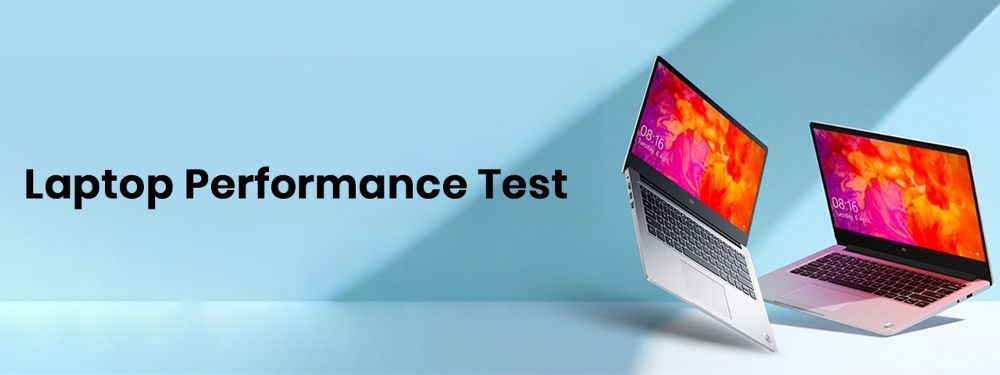
Our Real-World Performance Test Results
Find out which type of editing workload your laptop can handle. This table helps you quickly identify whether your system is suitable for light, medium, graphic/photo, or heavy editing tasks – based on real-world performance testing.
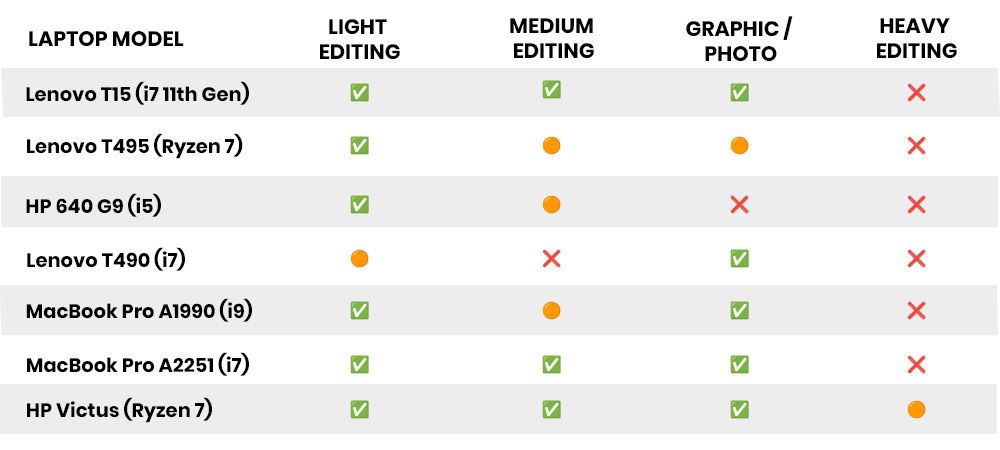
Our Real-World Multitasking Performance Results
Know how each laptop performs when handling daily productivity tasks. We tested real-world scenarios like browsing with 10–30 tabs, running multiple applications (Chrome, Excel, Photoshop, YouTube), background tasks, and frequent app switching to see which systems stay smooth and which struggle under load.
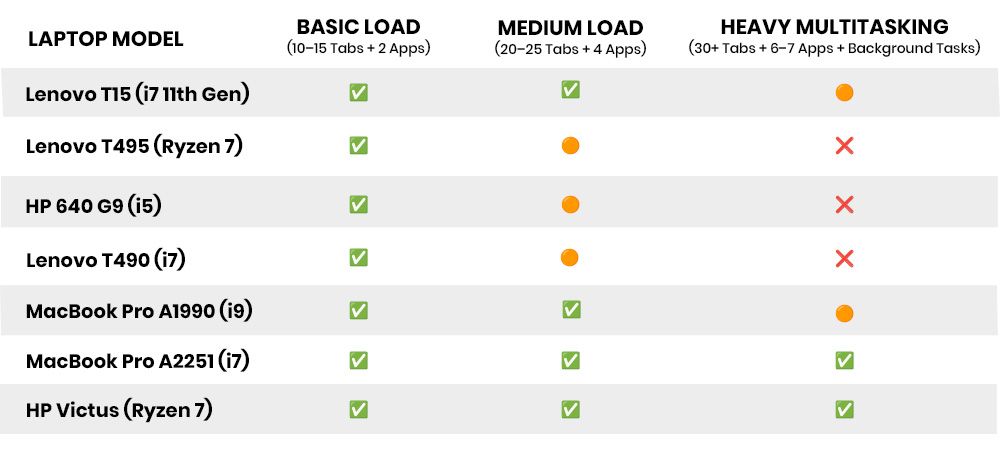
Our Real-World Gaming & Graphics Benchmark Results
These gaming results are based on the Unigine Heaven benchmark — tested across three settings: 720p Medium, 1080p High, and 1080p Ultra. Higher FPS indicates smoother and more stable gameplay performance. This table helps you quickly understand which laptops can handle casual gaming, moderate gaming, or are not suitable for modern games.
See the Full Laptop Test Report
We test every laptop we sell and maintain a complete transparent performance sheet.
12th Gen vs 10th Gen i5 (U-Series) – Real-World Performance Test
Both laptops were tested under identical multitasking and video editing workloads to understand whether upgrading from 10th Gen i5 U to 12th Gen i5 U actually delivers noticeable performance gains in daily usage.
| TEST TYPE | TEST SCENARIO | LENOVO THINKPAD T14 10th Gen i5-10210U |
HP ELITEBOOK 640 G9 12th Gen i5-1245U |
|---|---|---|---|
| Test 1: Multitasking | 9–10 windows, Video Encoder, 4 Excel files, Chrome with multiple tabs, YouTube playback & local video | ✅ Smooth | ✅ Smooth |
| Test 2: Video Editing / Single-Core | Heavy video encoding & video editing workload | ❌ Hangs | ⚠️ Handles basic & medium editing |
Conclusion
If your usage does not involve heavy video editing, upgrading from 10th Gen i5 U to 12th Gen i5 U may not deliver a significant performance jump.
For business, office work, and general-purpose usage, a 10th Gen i5 U refurbished laptop still offers excellent value and performance.
H-Series vs U-Series Processor – Heavy Workload Performance Test
To understand the real difference between H-series and U-series processors, both laptops were tested under heavy workloads such as 3D rendering, video encoding, 4K video editing, and intensive Chrome browsing. This comparison highlights how each processor class behaves under sustained high-performance usage.
| TEST ASPECT | TEST SCENARIO | DELL LATITUDE 5521 H-Series Processor |
HP ELITEBOOK 640 G9 U-Series Processor |
|---|---|---|---|
| Processor | CPU Details | 11th Gen Intel® Core™ i5-11500H Base 2.92 GHz / Turbo 3.10 GHz |
12th Gen Intel® Core™ i5-1245U Base 1.60 GHz / Turbo 2.18 GHz |
| Workload Test | Heavy tasking: 3D rendering, video encoding, 4K video editing, intensive Chrome browsing | ⚠️ Slight lag at times, but works well for editing in Premiere Pro | ❌ Hangs under heavy workload |
Conclusion
For high-processing requirements such as heavy databases, large Excel files, coding, software development, and professional video editing, an H-series processor is always the better choice.
U-series processors are designed for efficiency and everyday usage, not for sustained heavy workloads.
Real-World Tests. Real Results. Real Performance You Can
Trust.
Every laptop looks powerful on paper — but what really matters is how it
performs in real work.
We test laptops on actual softwares, actual workloads, and actual use-cases
so you know exactly what each laptop can and cannot do.

Why Do We Test Laptops This Way?
Most buyers choose a laptop by looking at specs — but end up buying something that doesn’t match their actual use.
- ✔ People buying overpowered laptops when they only need basics.
- ✔ People buying underpowered laptops when they do heavy work.
- ✔ Confusion between U-series vs H-series processors.
- ✔ Not knowing whether their laptop can handle editing, designing or gaming.
This test helps customers choose a laptop based on use, not hype.
How Do We Test?
We install and run the following softwares to test actual real-world performance:
Installed Softwares
- Premiere Pro (For professional video editing)
- Filmora (For basic editing)
- Photoshop (For professional photo editing)
- Lightroom (For basic color correction and editing)
- DaVinci Resolve (For professional video editing)
- After Effects (For advanced video animation)
These softwares help us check:
- Timeline smoothness
- Preview performance
- Export speed
- System heating
- Lag, stutter, or freezes
What is Light Video Editing?
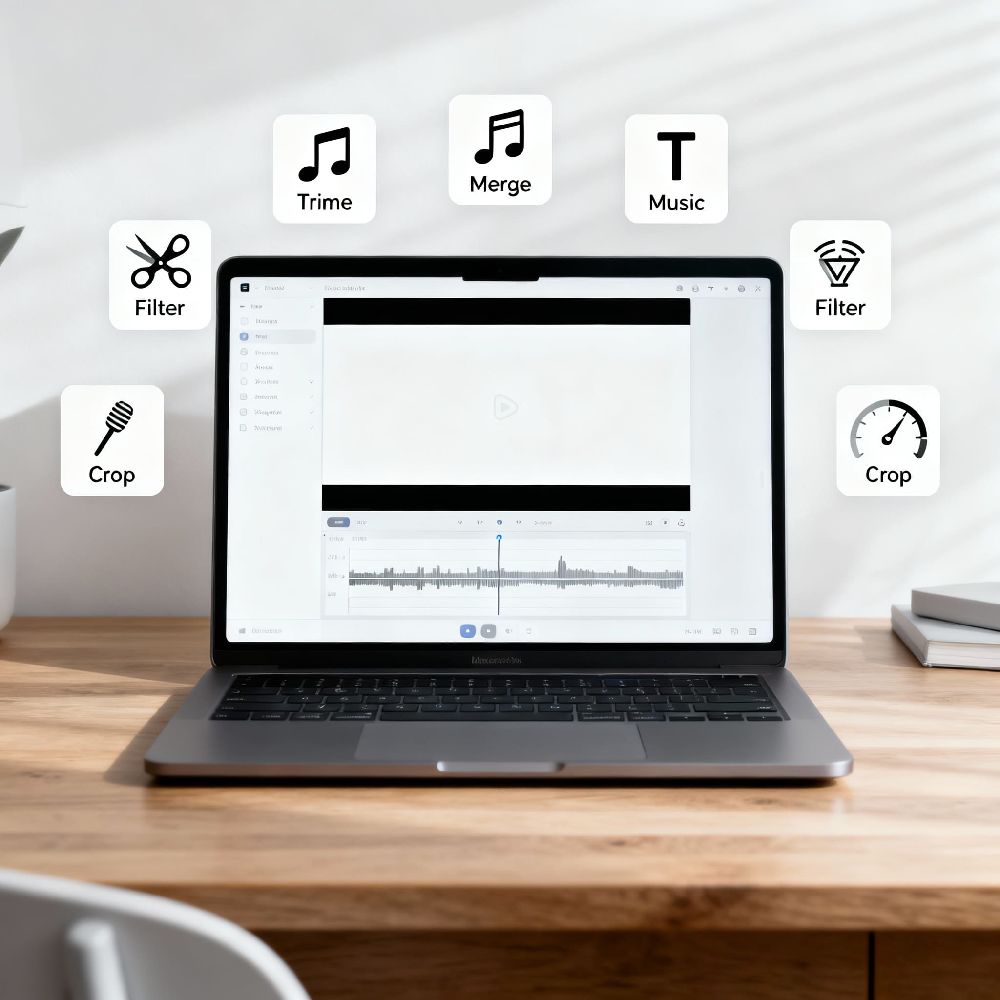
Light video editing refers to basic or simplified editing tasks that don’t require advanced technical skills or high-end hardware. It is ideal for beginners, casual users, and professionals who need quick edits without spending much time.
Typical light video editing tasks include:
- Trimming or cutting clips – Removing unwanted parts
- Merging clips – Combining multiple videos into one
- Adding music or sound – Background music or simple voiceovers
- Inserting text – Titles, subtitles, or captions
- Applying filters or effects – Basic color correction & transitions
- Resizing or cropping – Adjusting video dimensions for platforms like Instagram or YouTube.
- Changing video speed – Slow motion or time-lapse
What is Medium Video Editing?
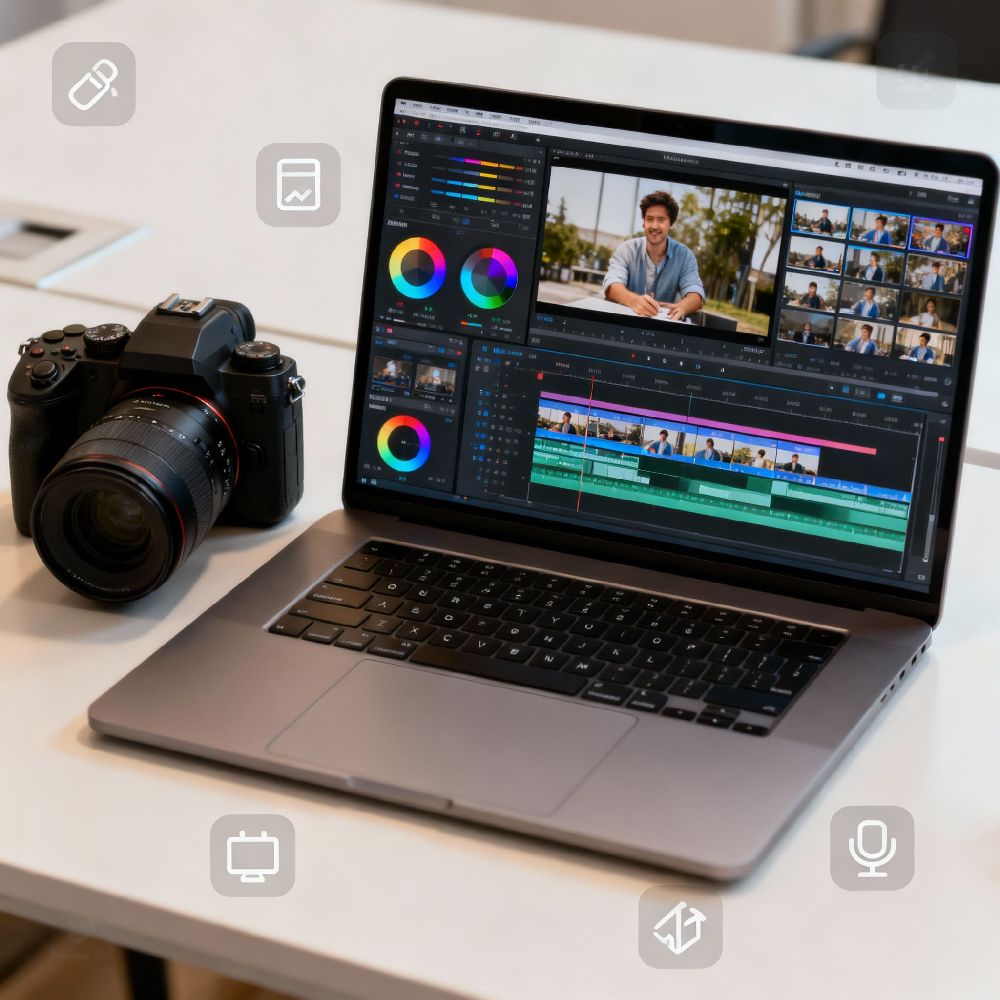
Shooting with a camera in HD or 4K normally and editing with a laptop, involving more creative control, technical adjustments, and layered content.
Tasks Included
- Multitrack editing (video + audio layers)
- Color correction and grading (basic to moderate)
- Custom transitions
- Motion graphics and animations (simple ones)
- Masking and keyframing
- Text and title animations
- Syncing multiple camera angles (multicam editing)
What is Heavy Video Editing?
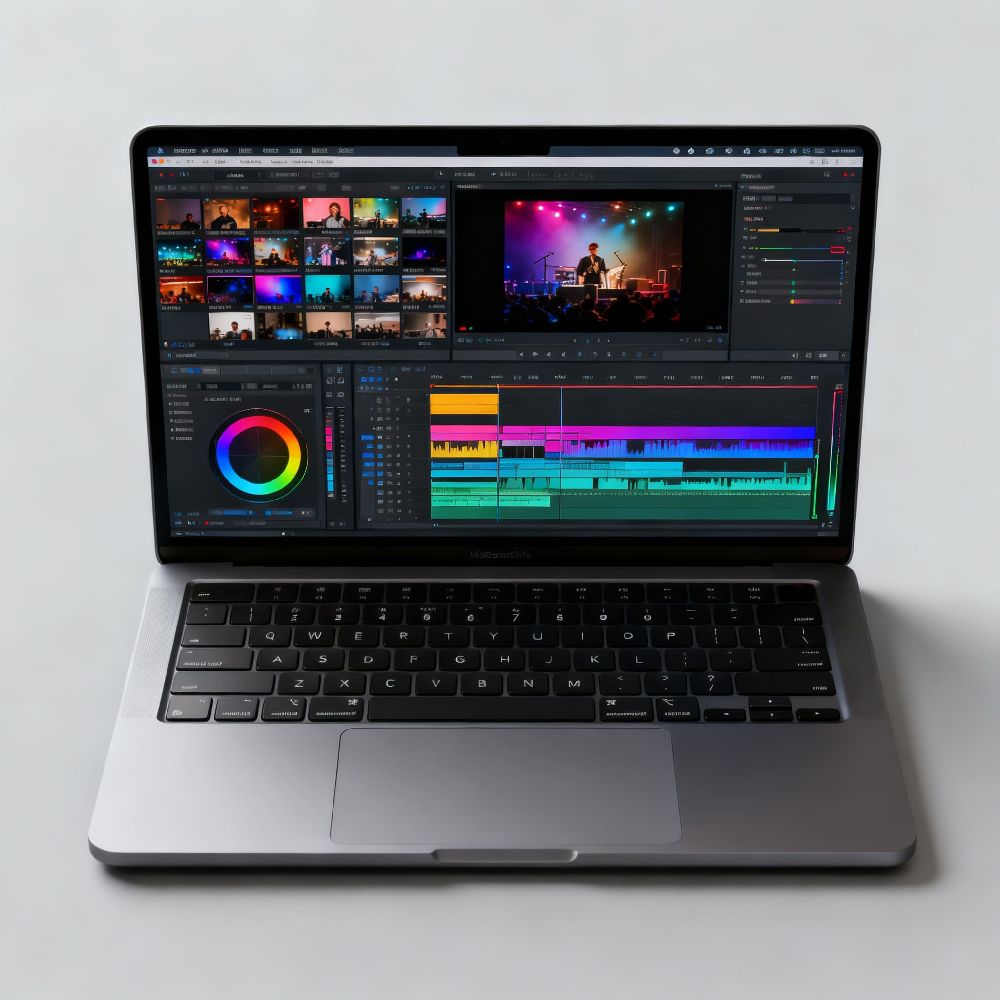
Shooting with a camera in HD, 4K or above in LOG or RAW.
Tasks Included
- Many video tracks and audio layers
- Use of multiple color grades, LUTs, and transitions
- Extensive use of keyframing and motion graphics
- Editing 4K, 6K, or 8K videos
- Using RAW or 10-bit formats
- Multiple layers of footage running at once
What is Graphic Designing Test?
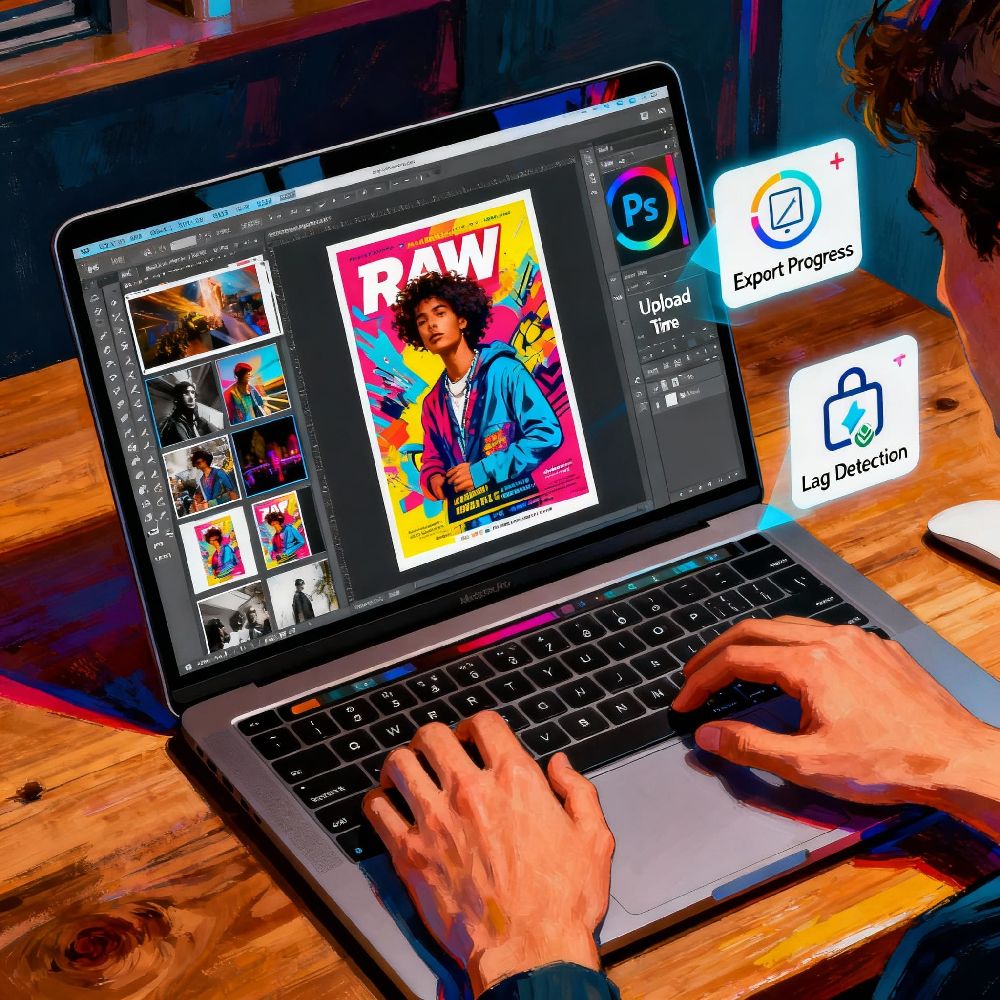
We perform the following checks using Photoshop heavy files:
- Open multiple layers of a heavy graphic design file.
- Add RAW photos.
- Edit and export in JPEG while observing export time and system hanging issues.
- Check RAW photo editing and test multiple layers with a heavy poster file.
- Record upload time of the edited file and track any lag.
Processing Power Test
Processing power is important for demanding activities like Complex Excel Computing, Gaming, Video Editing, Multi-Tasking, and Software Coding. We are looking forfaster response times without lags.
Intel says that H processors are more powerful than U processors.
Example comparison: 12th Gen i5 U Processor versus 11th Gen H Processor.
Importance of Cores
Multicore in a laptop means the CPU inside contains multiple independent cores — each core acts like a mini-processor capable of executing instructions at the same time.
How Many Cores Are Enough?
A normal application like a web browser can use 2–4 cores by itself. You need an additional 4–6 cores for handling decompression and decryption of data running at hundreds of MBs per second.
What Happens If There Are Fewer Cores?
If there are fewer cores, those cores get saturated and give you the response 50–100 ms later — this is latency.
How Many Cores Does a Phone Have?
Coincidentally, phones have 8–10 cores.
Core-Based Test Comparison
We compare:
- 10th Gen U Processor
- HP 640
- 12th Gen U Processor (Higher Cores)
This shows how more cores improve multitasking and processing speed.
Peace of Mind Guaranteed
Now you don’t have to guess which laptop is right for you. You can check:
- ✔ What a laptop can do
- ✔ What it cannot do
- ✔ Which use-case it is best suited for
- ✔ Which workloads it can handle smoothly
This page + test report ensures you buy:
The right laptop for the right purpose — not just for the specs.
Need help choosing?